Start with what matters.
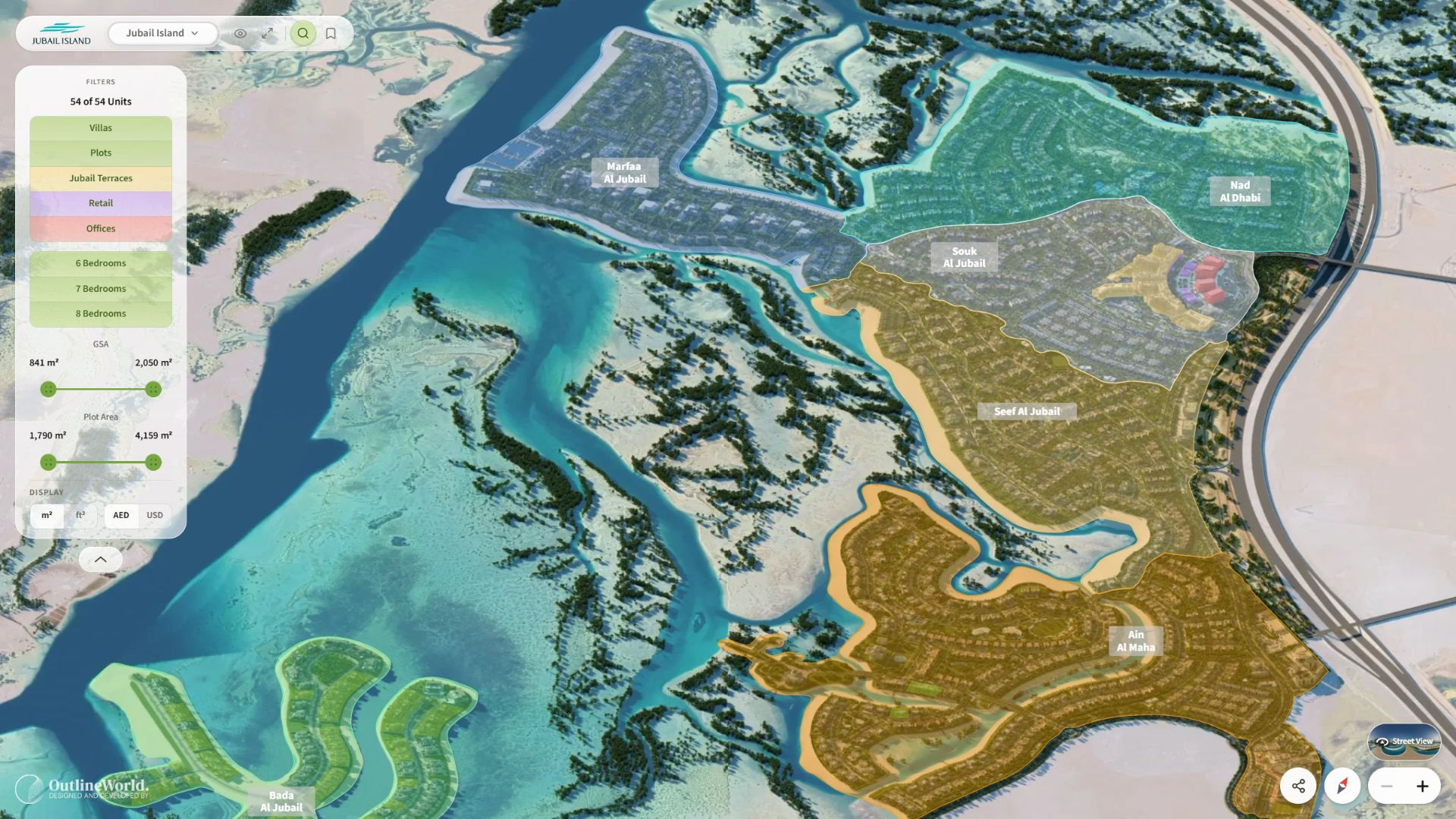
Filter by property type and bedrooms. Adjust the GSA and plot-area ranges, with areas in square metres or square feet.
 Book a demo
Inside Interactive World
From your global portfolio to the details of a home, give buyers a clear path through location, lifestyle and unit selection. Bring that journey into your sales workflow, with content and data managed by your team.
Inside Interactive World
Follow the buyer’s journey.
See how each layer reveals more.
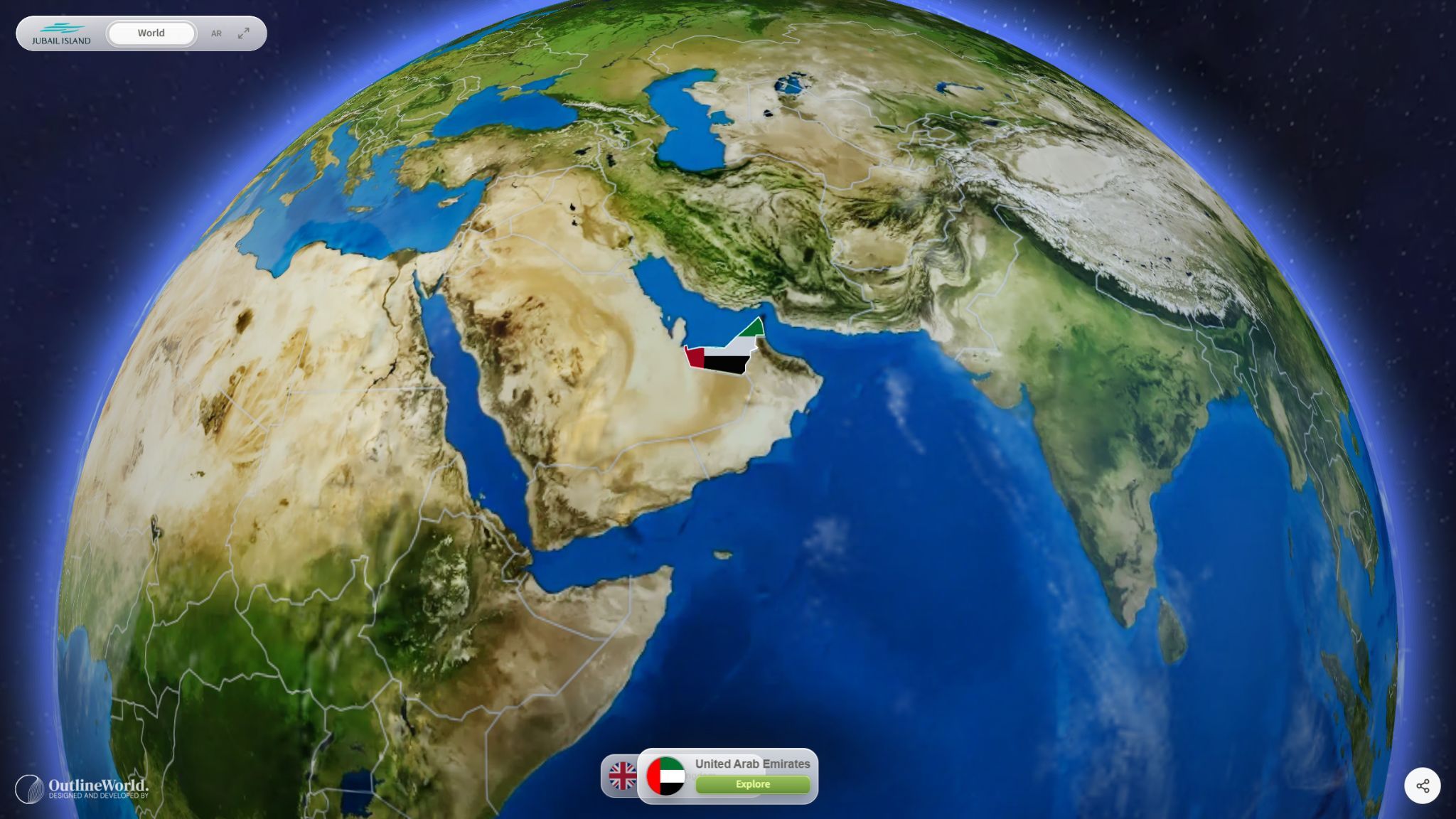
Global portfolio
Present your active and upcoming developments through an interactive globe. Buyers select a country, discover its cities and enter the project that catches their attention.
Book a demoFind the countries where your developments are located.
Move from the global portfolio into the places you are building.
Continue into a project without breaking the journey.
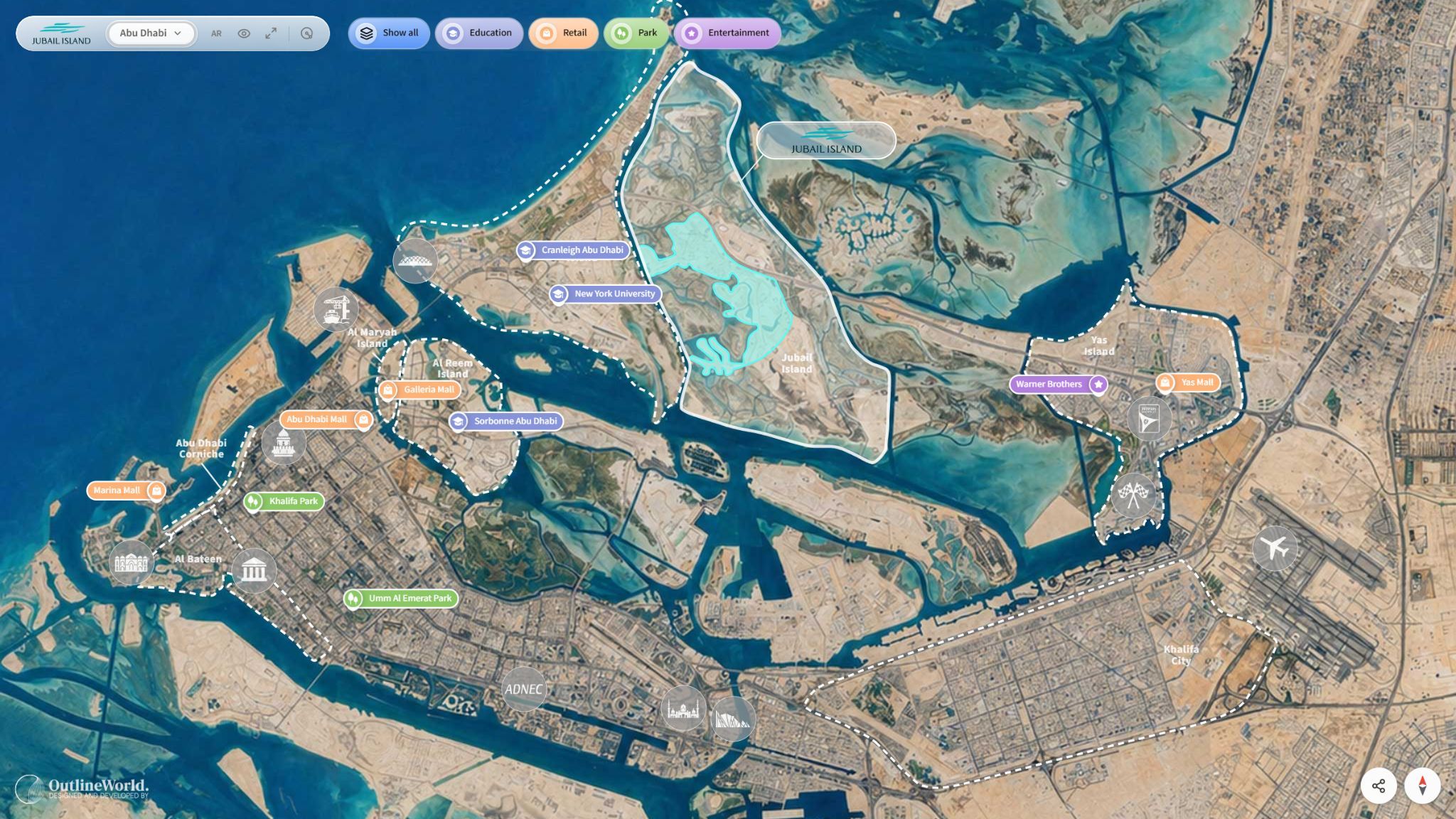
City viewer & landmarks
The city viewer places each development in its wider surroundings. Explore nearby districts, switch between projects and reveal the destinations that shape everyday life.
Book a demoLocate the development alongside the city’s districts and landmarks.
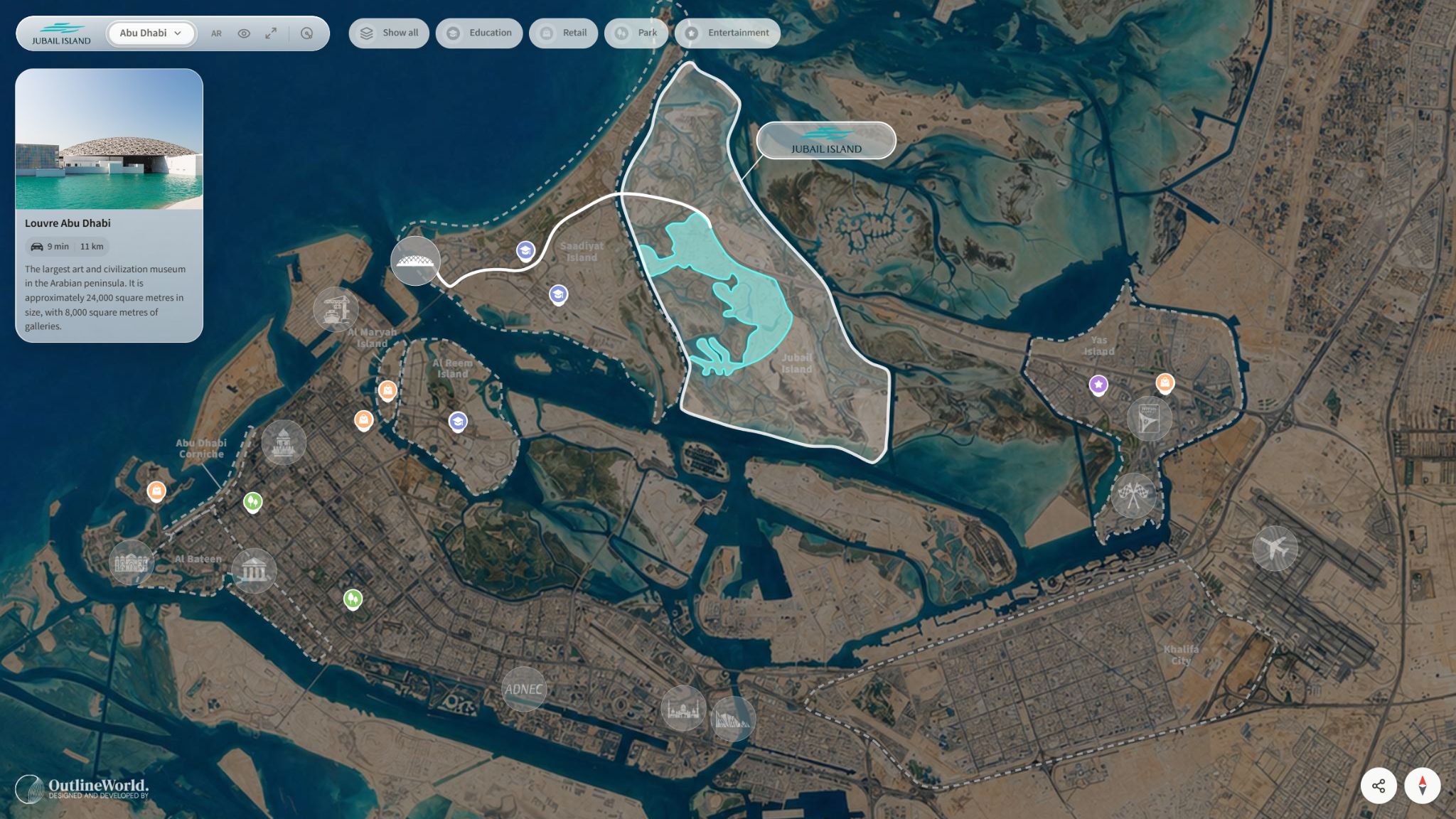
Use Education, Retail, Park and Entertainment categories to reveal relevant places.
Open a landmark for its description, distance and estimated travel time from the development.
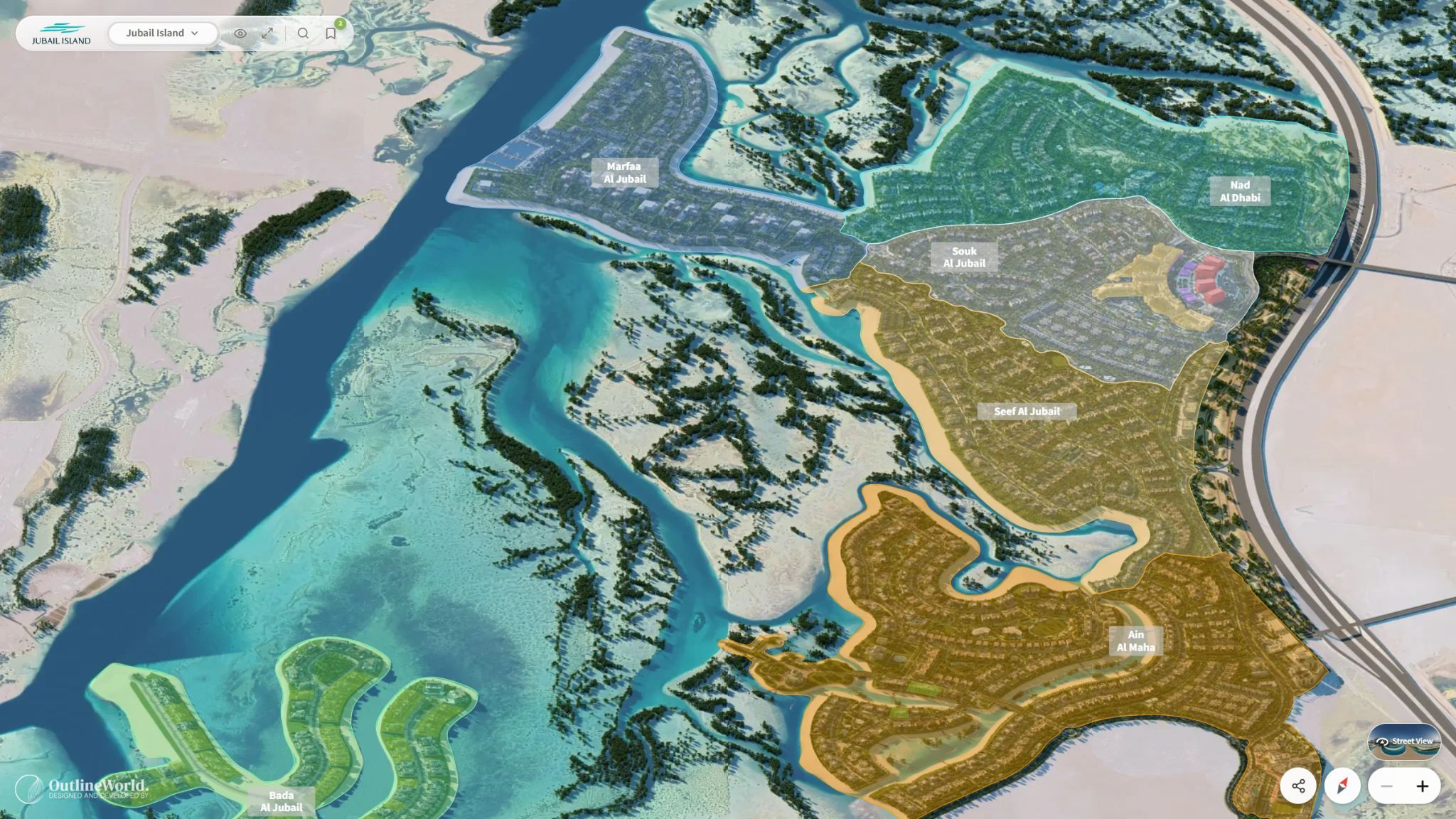
Project viewer
Explore a masterplan through a 3D-rendered environment or real-footage capture. Move between zones, plots, facilities and lifestyle areas to understand how the development fits together.
Book a demoSee homes, landscape and community boundaries as a connected place.
Move into a zone or neighbourhood to explore its plots and facilities.
Open a 3D marker to inspect a selected area in real time.
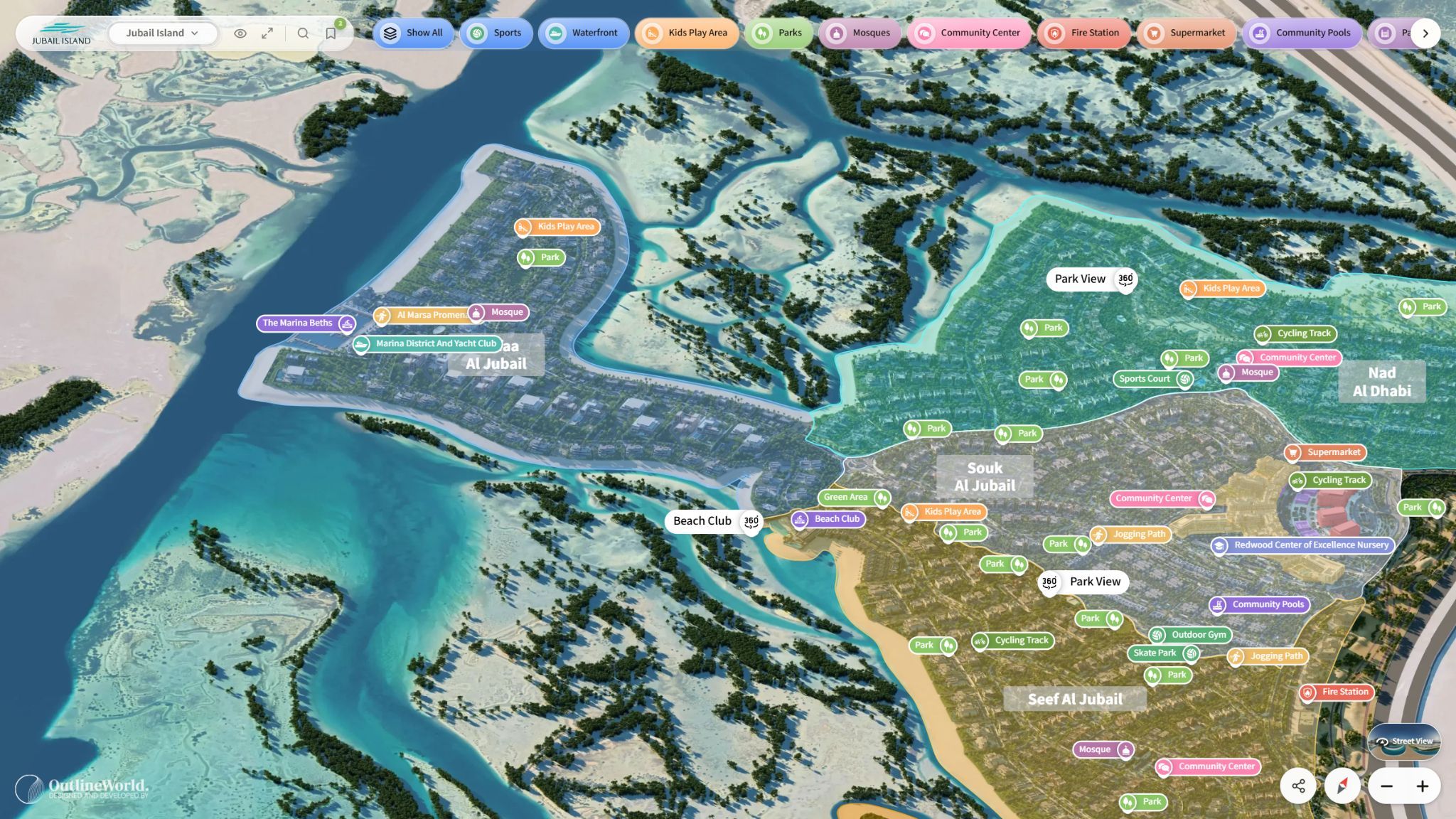
Amenities & lifestyle
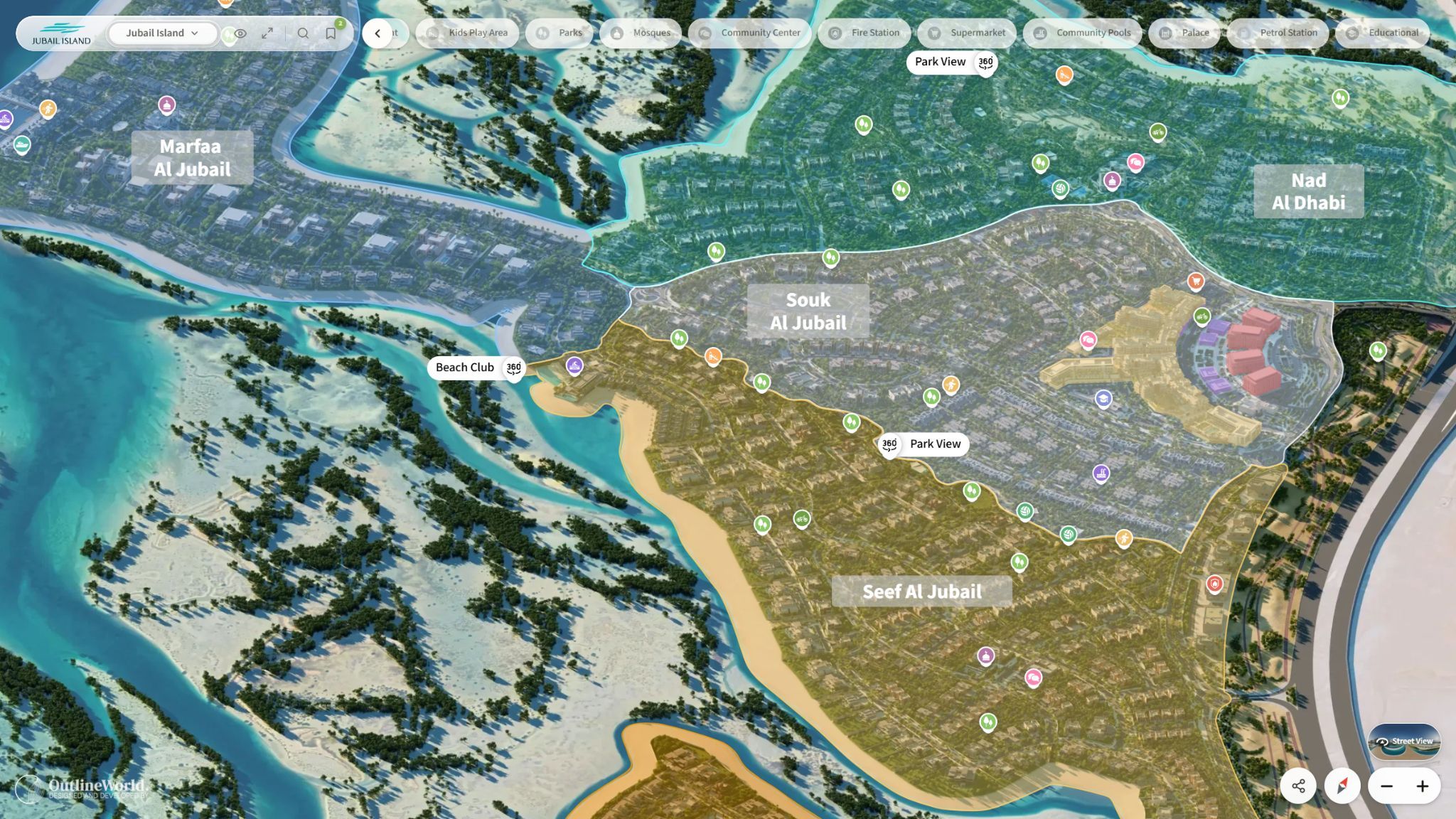
Map amenities directly within the masterplan. Buyers can see where each destination sits, open its details and continue into an available 360° or video experience.
Book a demoReveal parks, sport, play areas, waterfront destinations and community facilities.
Bring imagery, descriptions and proximity information into the conversation.
Follow available 360° or video hotspots to see more of the place.
Units, filters & floor plans
Refine the search, select a home on the plan and explore its details. Build a shortlist, compare alternatives and move from the floor plan into a room-by-room virtual tour.
Book a demoChoose property type, bedrooms and area; add budget, orientation or availability in the configured 3D sales interface.
Keep preferred units in favorites and compare options side by side.
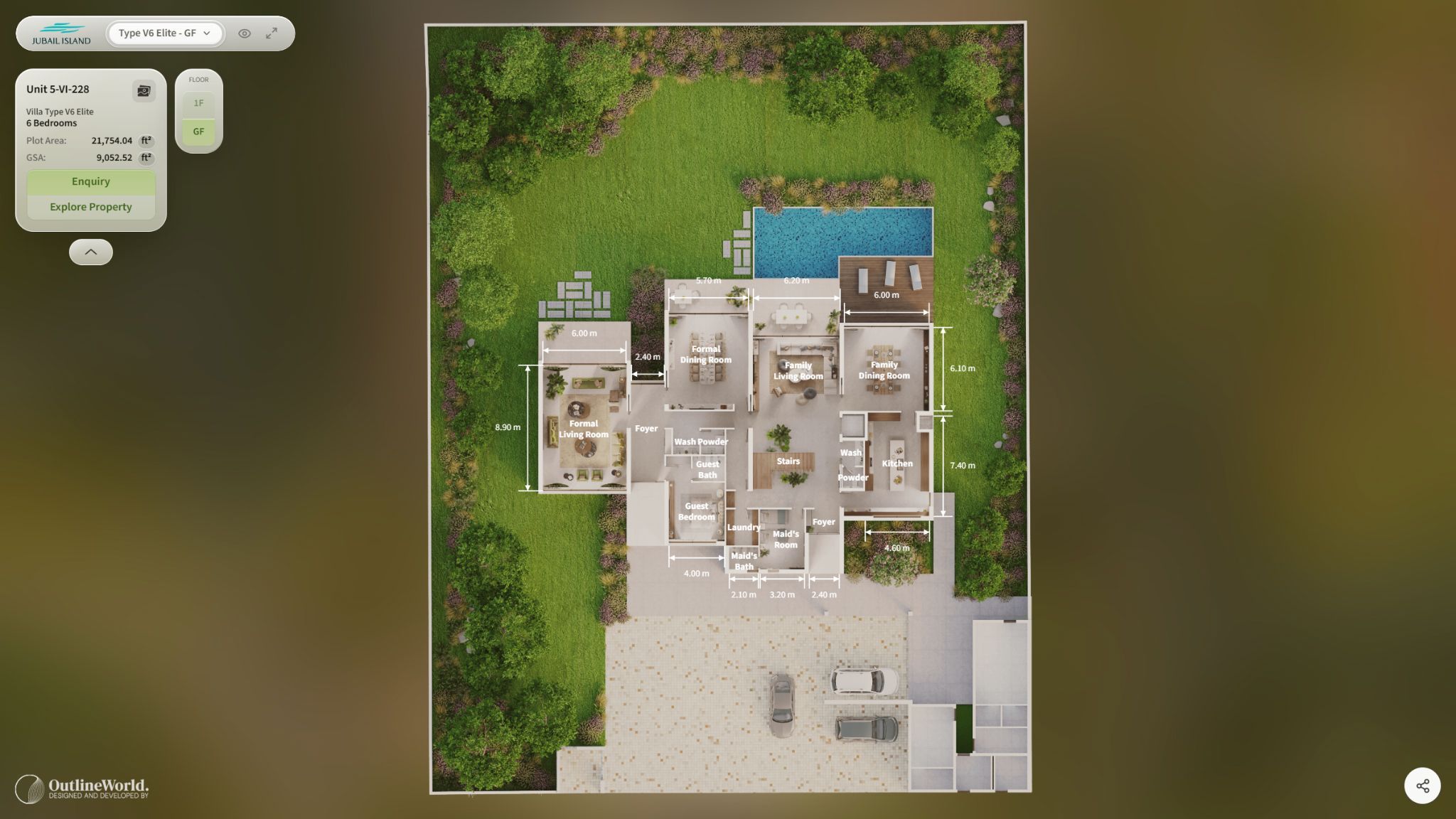
Review dimensions and room relationships, then explore the available virtual tour.
Landmarks & proximity
A school. A cultural landmark. The waterfront. Different buyers see value in different places.
Select a landmark such as Louvre Abu Dhabi to open its image and description, with distance and estimated travel time from the development. The city becomes part of the property story.
 Explore the detail
 From discovery to decision
Help buyers make a considered choice, from the first search to a shortlist and a closer look inside.
Filter by property type and bedrooms. Adjust the GSA and plot-area ranges, with areas in square metres or square feet.
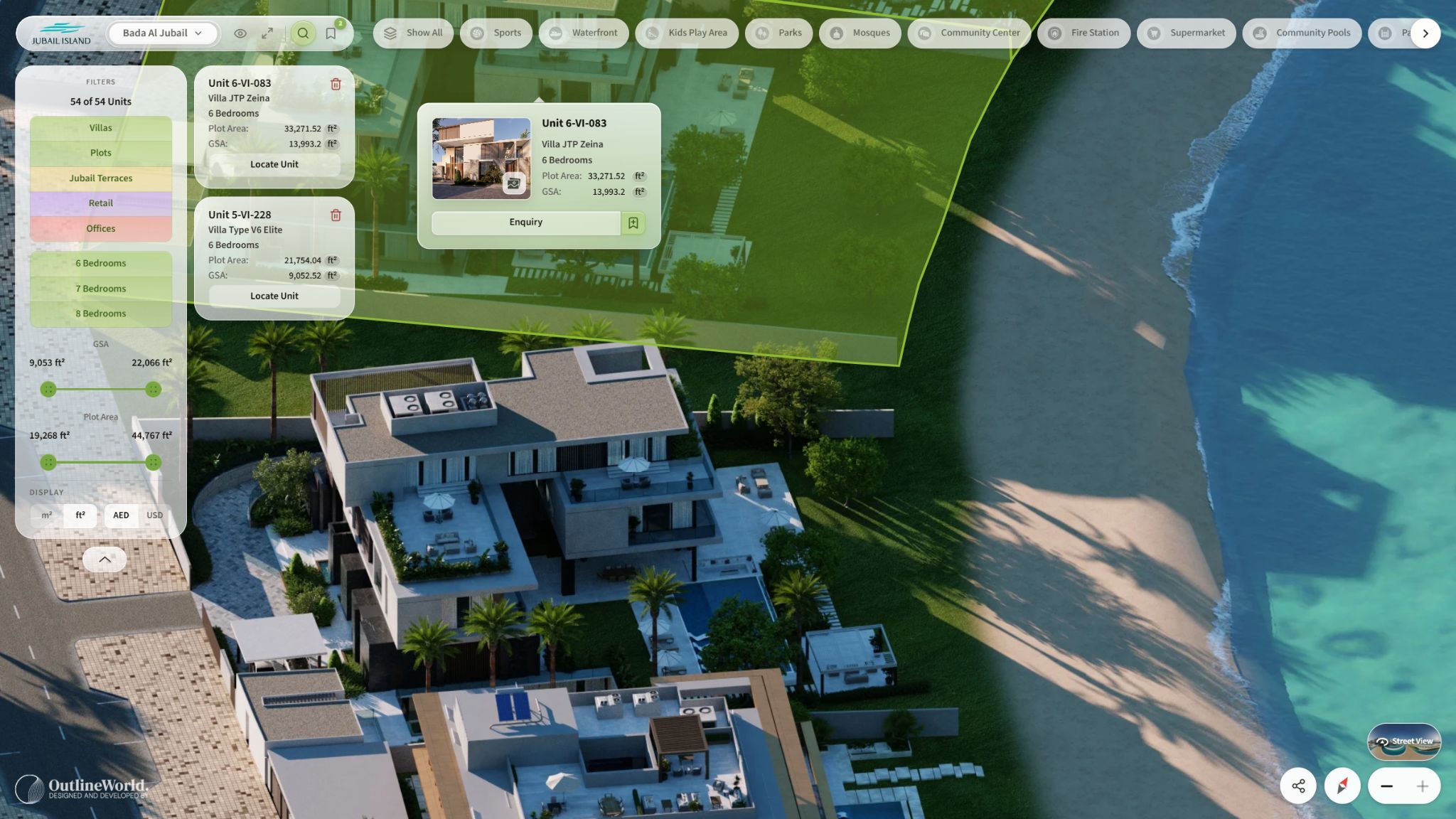
Select a unit to see its reference, typology and areas. Save preferred options to favorites as you explore the development.
Bring shortlisted units together in a side-by-side comparison. Review the options that matter to the buyer before taking the next step.
Review high-resolution floor plans with dimensions, annotations and spatial zones. Switch between available floors to understand room relationships.
 Explore the detail
  Explore the detail
 Real-time 3D & digital twins
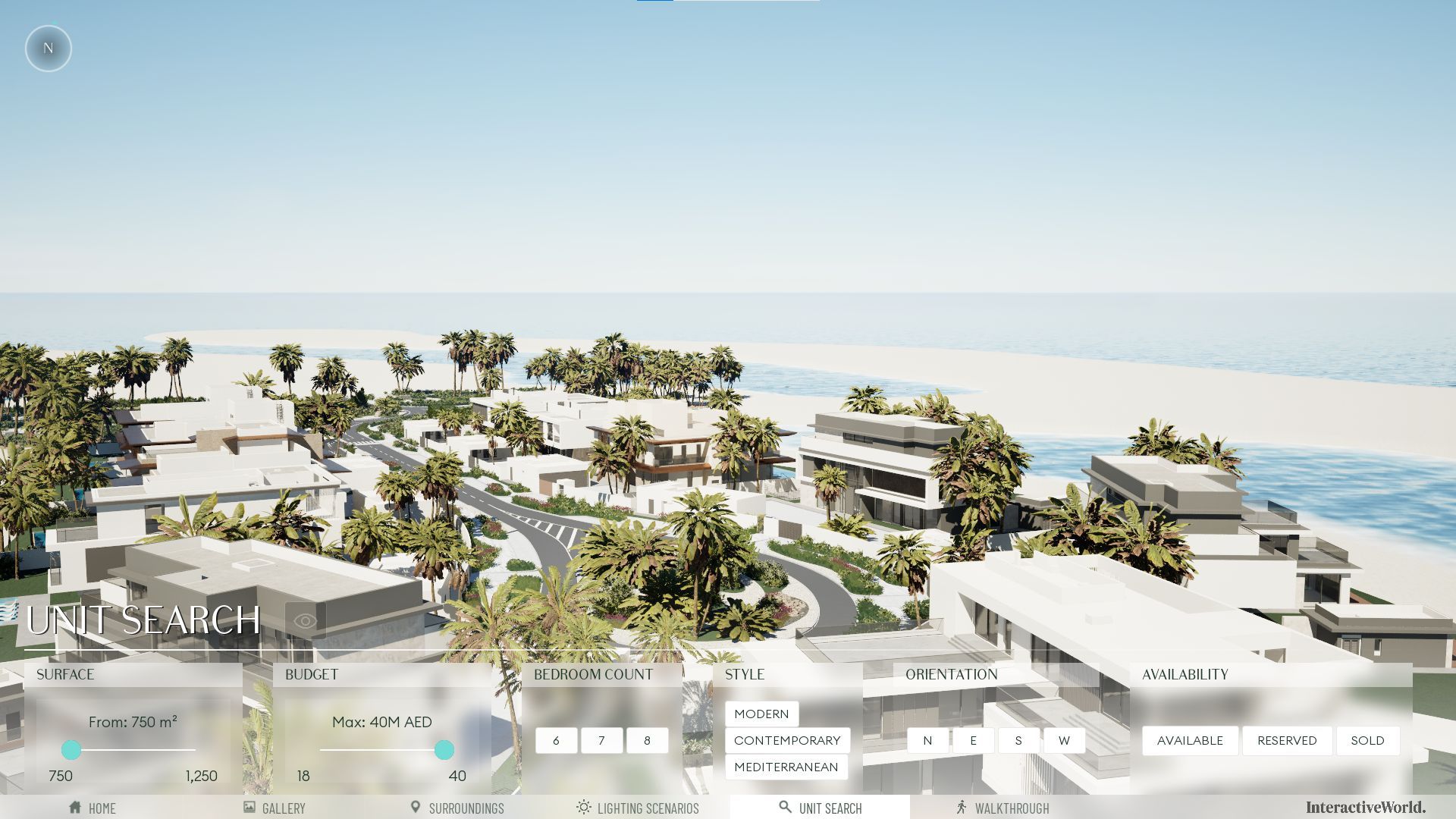
Position. Orientation. Views. Light. Let buyers understand the spatial details of their future home through an interactive 3D environment.
 Explore the detail
 A custom sales interface connects the 3D environment with unit data, filters, pricing and availability. Guide the buyer through options while the development stays in view.
 Explore the detail
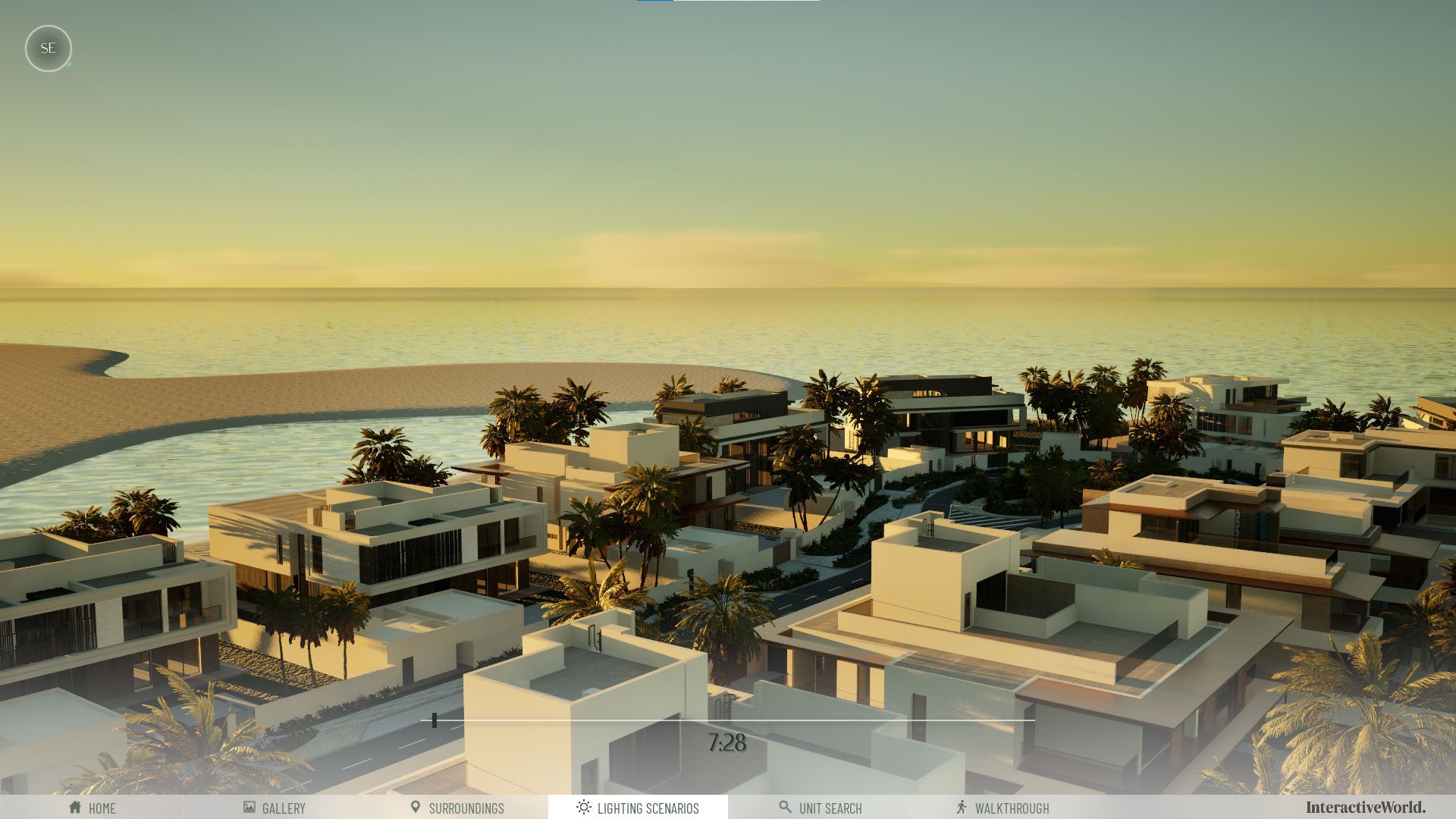
 Simulate sun movement using the unit’s geographical location. Explore sunlight, shade and atmosphere at different times of day to understand its orientation and outlook.
Pricing and availability follow the project’s configured data connections and update workflow.
360-degree views & virtual tours
Connect the feeling of the community with the experience of the home. Buyers can explore both before visiting the sales centre or project site.
 Explore the detail
 Open 360° image or video hotspots for main views, facilities and amenities. Drone-captured transitions can connect locations into a guided journey.
 Explore the detail
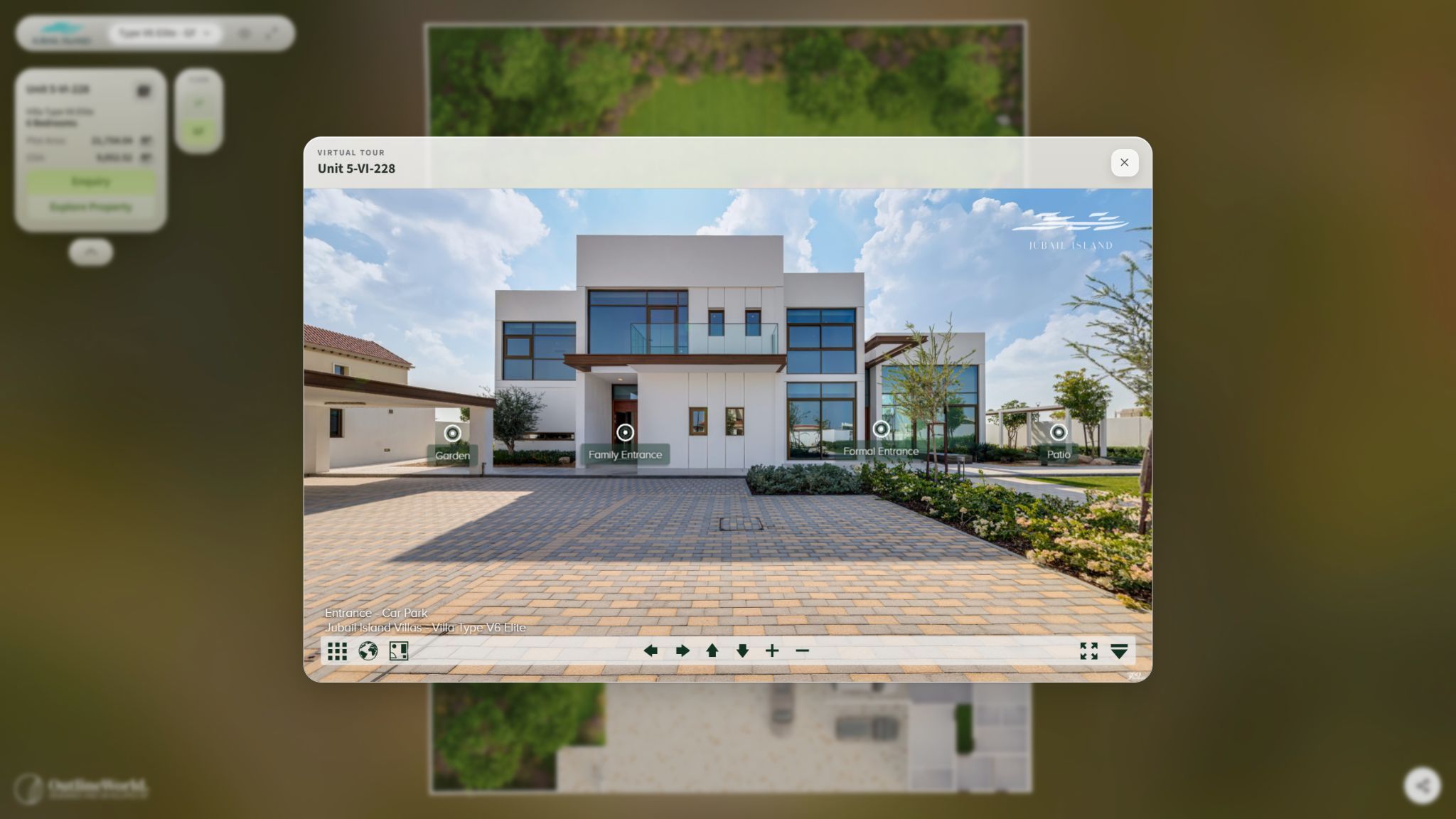
 Move room by room through realistic 360° views. Explore material details and spatial context, with the floor plan close at hand.
Lead capture & CRM
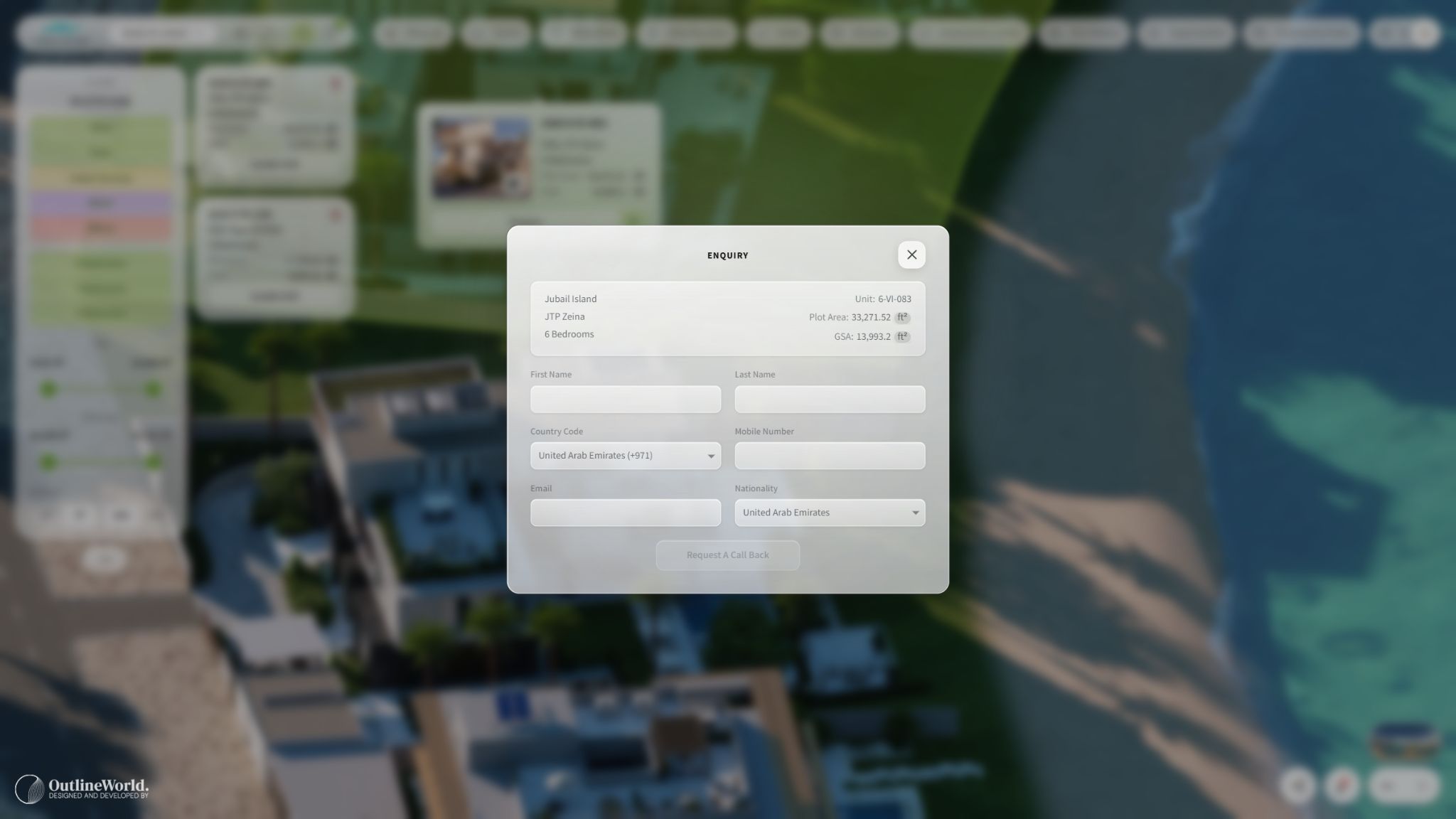
Give buyers a direct route from exploring a property to speaking with the team who can help them move forward.
 Explore the detail
 Capture buyer details, enquiries and appointment requests inside the experience. Connect the handoff to the developer’s CRM so the sales team can follow up.
The integration is configured around your CRM, its available interfaces and the data your team needs, including the agreed routing and update workflow.
Discuss CRM integrationDelivery is scoped for your devices and supported VR headsets.
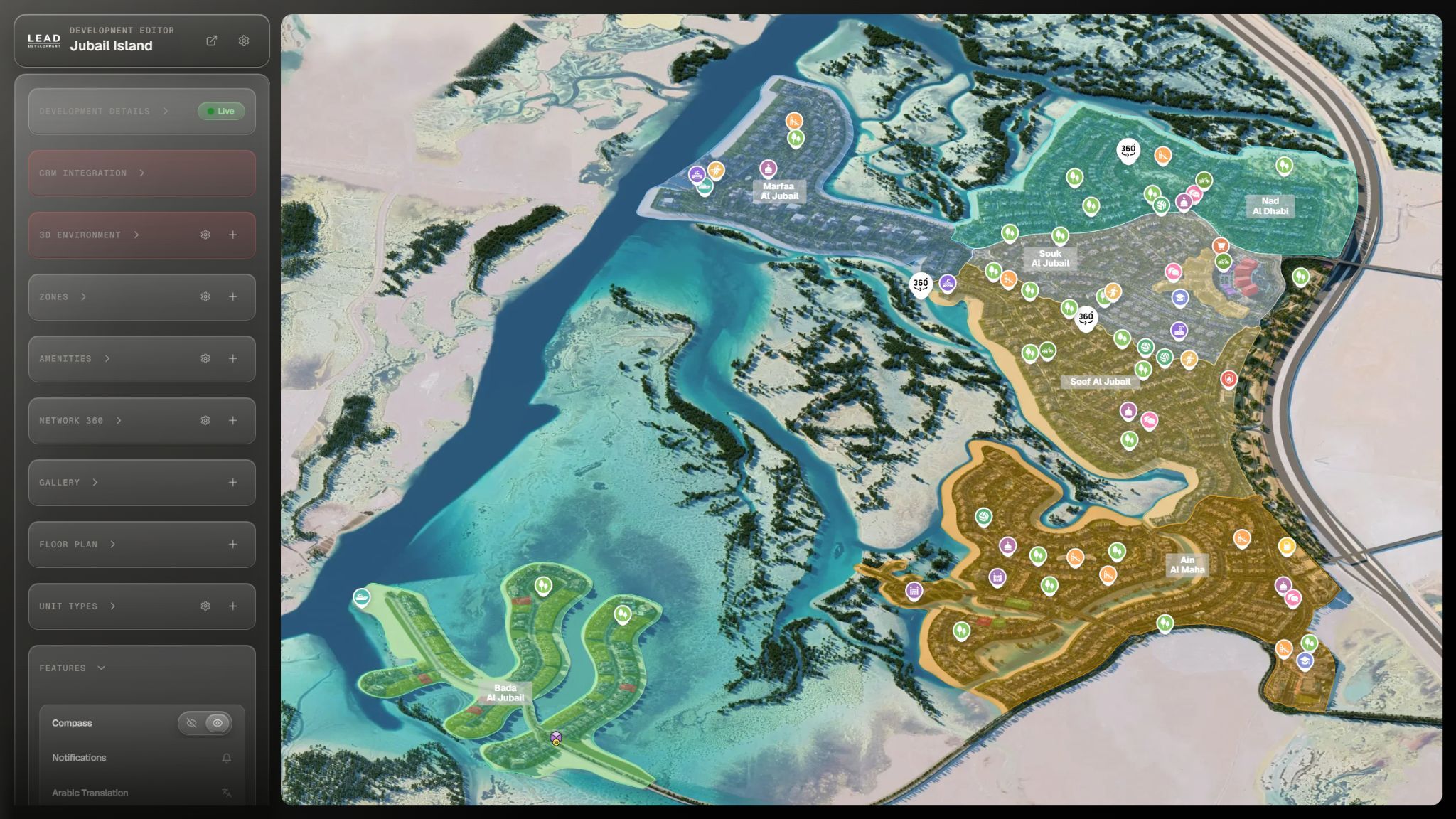
The developer portal
Give your team control over the experience. Manage project content and keep the sales presentation aligned with your development as it evolves.
Manage project details, imagery, media, amenities and immersive content.
Maintain unit information and coordinate updates with the configured availability workflow.
Manage leads and project updates from the developer’s portal.
 Explore the detail
 From your plans to their possibilities
We map your portfolio, project information and the journey your buyers and sales team need.
We bring masterplans, unit data, floor plans, architectural content and immersive experiences together.
We configure your presentation controls, CRM lead handoff and the agreed pricing and availability connections.
Your team presents the experience and manages project content, media, units and leads through the developer portal.
Interactive World is an interactive real estate sales platform developed by Outline World in Dubai. It connects a developer’s global portfolio, city context, masterplans, amenities and individual units with real-time 3D, floor plans, virtual tours and CRM-ready lead capture. A developer portal gives your team control over project content and sales information.
Buyers can start at a country on the interactive globe, explore its cities and enter a development. City landmarks can include descriptions, distance and estimated travel time. An interactive masterplan connects the development’s zones, buildings, plots, amenities and lifestyle destinations in one navigable view, with supporting imagery, 360° views or video where provided.
Yes. Buyers can refine the search by the configured property types, bedrooms and area ranges, then open a unit’s details. They can save favorites and compare units side by side. High-resolution floor plans show dimensions, annotations and spatial zones, with navigation between the available floors before continuing into a virtual tour.
A real estate digital twin is an interactive digital representation of a building or development. Buyers can explore units, building position, orientation, views and surroundings in real time. A custom sales interface can bring unit filters and connected sales data into the scene. Lighting scenarios can simulate sunlight and shade using the unit’s geographical location and different times of day.
Start with your masterplan, building and unit information, floor plans, project location and available architectural imagery or 3D assets. Useful unit data includes references, property types, bedrooms and areas. Share amenity details, branding, existing tours and your preferred sales journey, along with the CRM or other system that holds pricing and availability. We can then identify the content and connections your experience needs.
Existing architectural content is a starting point for the experience. Share the renders, animations, 3D models, floor plans and 360° material you have so their suitability can be reviewed against the planned features. Reuse depends on the available source files, quality and rights to use them. Any additional visualization or immersive content is scoped around what the project needs.
The process starts with your portfolio, buyer journey and available project information. Masterplans, unit data, floor plans and media are then brought into the experience, with the agreed presentation controls and sales connections. Content responsibilities, device requirements and data update workflows are defined for the project so your team knows what it will manage through the developer portal.
Share your CRM name, its available integration interfaces or API documentation, the enquiry fields you need and how leads should reach your sales team. The connection is scoped around those capabilities and the necessary access permissions. Lead handoff and pricing or availability updates are separate requirements to agree: compatibility and the direction of data flow are confirmed for your implementation.
Interactive World can connect unit pricing and availability to the developer’s sales data. Live updates depend on the configured integration and source system. The source of truth, update frequency and responsibility for changes are agreed for each implementation; a CRM connection alone does not mean every field updates instantly.
Your team can manage project details, imagery, media, amenities, units, leads and project updates through the developer portal. Pricing and availability follow the configured data source and update workflow. During scoping, identify which information your team will maintain in the portal and which should come from your CRM or another system.
Experiences can be delivered for desktop, mobile, tablet and supported VR headsets. Browser content, real-time 3D and immersive delivery are selected around the devices and presentation setting you need. Share your target devices and any headset models during scoping so the intended experience can be confirmed. VR delivery forms part of the agreed project scope.
The scope depends on the number of projects and units, the readiness of your plans and data, the visual content to create, the immersive features and the integrations required. Your target devices and review process also matter. Share those details in your demo request so the team can discuss a proposal and schedule for your development.
Use the scoping conversation to agree who maintains project content and sales data, how your team requests changes, and what ongoing assistance is required. New phases, revised floor plans, additional immersive content and integration changes can have different requirements from routine portal edits. Support arrangements and the scope of future work are agreed for your project.
Yes. Book a guided demonstration with Outline World to follow the journey from a global portfolio to city landmarks, the masterplan and an individual home. We can also walk through real-time exploration, unit comparison, tours, lead capture and the developer portal. Bring your project information and sales requirements to discuss how the experience could work for your development.
Your development. Experienced in full.
Book a guided demonstration with Outline World.
Explore what Interactive World can do for your development.